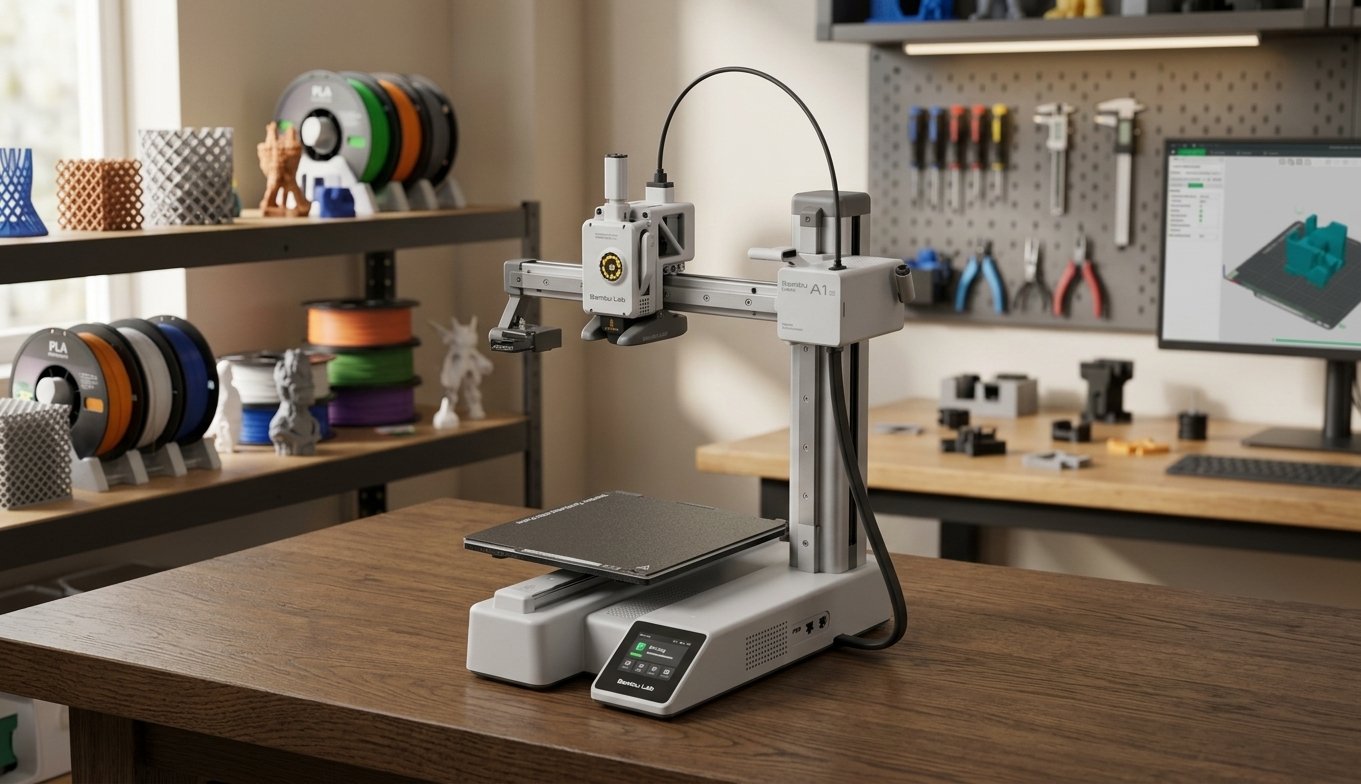

The desktop 3D printing market has evolved at a breakneck pace. High-speed motion systems, active vibration compensation, dynamic flow calibration, and automated bed leveling—once exclusive to high-end industrial machines—are now standard expectations for entry-level hobbyists. At the forefront of this revolution is the Bambu Lab A1 Mini.
When Bambu Lab first introduced the A1 Mini, it sent shockwaves through the maker community by delivering near-flawless high-speed printing and optional multi-color capability at an accessible price point. But as we move through 2026, with aggressive competition from machines like the Creality Ender-3 V3 series and Anycubic Kobra lineup, a crucial question arises: Is the Bambu Lab A1 Mini still the undisputed king of budget 3D printers?
In this comprehensive, real-world review, we analyze the design, build quality, setup process, print speed, material compatibility, and overall value of the Bambu Lab A1 Mini to help you decide if it belongs on your workbench.
Key Takeaways
- Unmatched Plug-and-Play Experience: Full auto-bed leveling, vibration compensation, and automatic flow rate calibration straight out of the box.
- Impressive Speed & Acceleration: Top speeds up to 500 mm/s with up to 10,000 mm/s² acceleration without sacrificing dimensional accuracy.
- Multi-Color Ecosystem: Flawless integration with the AMS Lite for seamless 4-color printing.
- Build Volume Limitation: The 180 x 180 x 180 mm build volume may feel restrictive for larger helmet builds or functional prototype enclosures.
- Open-Bed Cantilever Design: Optimized for PLA, PETG, and TPU; unsuitable for high-temperature engineered filaments like ABS, ASA, or Nylon without an enclosure.
1. Technical Specifications at a Glance
Before diving into real-world performance, let us examine the core hardware specs powering the Bambu Lab A1 Mini:
| Feature | Specification |
| Build Volume | 180 x 180 x 180 mm (7.1 x 7.1 x 7.1 inches) |
| Architecture | Cantilever Bedslinger |
| Max Print Speed | Up to 500 mm/s |
| Max Acceleration | 10,000 mm/s² |
| Toolhead / Extruder | All-Metal Direct Drive with Steel Gears |
| Stock Nozzle | 0.4 mm Stainless Steel (Quick-Swap Mechanism) |
| Max Hotend Temp | 300 °C |
| Max Heatbed Temp | 80 °C |
| Supported Materials | PLA, PETG, TPU, PVA (ABS/ASA not recommended) |
| Sensors | Filament Runout, Filament Tangle, Auto-Bed Leveling, Eddy Current Flow Calibration |
| Multi-Color Support | Yes (via optional AMS Lite unit) |
| Connectivity | Wi-Fi, Bambu Bus, MicroSD Card |
2. Unboxing, Assembly, and First-Time Setup
One of the biggest hurdles historically facing novice 3D printing enthusiasts was the daunting assembly process. Squaring aluminum extrusions, adjusting eccentric nuts, and manually leveling bed springs often caused hours of frustration before the first layer was ever laid down.
The Bambu Lab A1 Mini eliminates these pain points entirely.
Out-of-the-Box Assembly
The machine arrives almost fully pre-assembled. The gantry, cantilever arm, toolhead, and build plate assembly are pre-wired and secured in protective foam. Getting the A1 Mini ready for its first print takes less than 15 to 20 minutes:
- Remove the protective foam, shipping locks, and zip ties.
- Mount the quick-swap spool holder or connect the PTFE tubes from the AMS Lite.
- Plug in the power cord and turn on the 3.5-inch color IPS touchscreen.
Automated Calibration Suite
Once powered on, the A1 Mini executes a fully automated initial calibration sequence that takes around 10 to 12 minutes:
- Vibration Compensation (Input Shaping): The printer shakes both the X and Y axes across various frequency bands to measure mechanical resonance, eliminating ghosting and ringing at high speeds.
- Automatic Bed Leveling (ABL): Using the nozzle as a strain gauge probe, the machine measures multiple grid points across the Textured PEI plate for precise Z-offset calculation.
- Active Flow Rate Dynamics: Using an eddy current sensor inside the toolhead, the printer measures nozzle pressure dynamically, ensuring smooth extrusion without manual pressure advance tuning.
3. Design and Build Quality: Small Footprint, Big Engineering
Despite its compact size, the A1 Mini feels substantial on the desk. Built upon a rigid metal base frame with linear rails on the X and Z axes and dual linear rods on the Y-axis, structural flexing is kept to a minimum during aggressive direction changes.
Quick-Swap Hotend System
One of the best engineering highlights of the A1 Mini is its toolless quick-swap hotend system. Changing a nozzle on traditional desktop 3D printers often required heating the hotend to 250°C, holding the heater block with pliers, and carefully unscrewing the nozzle without damaging delicate thermistor wires.
With the A1 Mini:
- Pull off the magnetic toolhead front cover.
- Unclip the silicone sock and toolhead latch.
- Slide out the hotend assembly and insert a new one (0.2mm, 0.4mm, 0.6mm, or 0.8mm hardened steel) within 10 seconds.
Intuitive Touchscreen & UI
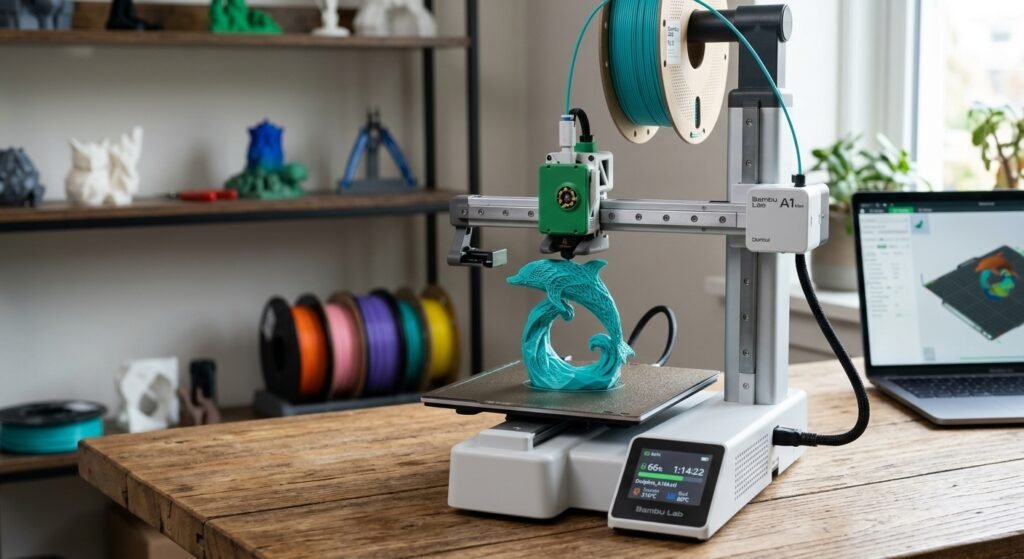
The 3.5-inch color touchscreen features a responsive capacitive display running Bambu’s sleek firmware. Menus are logical, displaying real-time nozzle temperatures, fan speeds, print progress previews, and error diagnostics with helpful visual prompts.
4. Print Quality and Speed Performance
To benchmark the Bambu Lab A1 Mini, we subjected the machine to a rigorous suite of test prints utilizing standard PLA, PETG, and flexible TPU (95A) filaments in Bambu Studio.
Speed vs. Quality Benchmarks
- Standard 3D Benchy (PLA): Using the pre-sliced “Speed Benchy” file included on the MicroSD card, the A1 Mini printed a complete Benchy in 14 minutes and 15 seconds. Overhangs were crisp, bridges were clean, and hull lines were virtually free of ringing.
- Dimensional Accuracy Test (Calibration Cube): Printed at default profile speeds (200–300 mm/s for inner/outer walls), X and Y dimensions measured within a ±0.04 mm tolerance, making it ideal for interlocking mechanical parts and gears.
- Layer Consistency: Due to real-time active flow compensation, top surfaces showed seamless infill-to-wall fusion without over-extrusion globs or under-extrusion gaps.
Sound Level Test
Unlike older high-speed printers that produce high-pitch motor hums, the A1 Mini features Active Motor Noise Canceling technology. During high-speed movements, motor noise measures below 48 dB, making it quiet enough to operate in an office or bedroom setting without distraction.
5. The Multi-Color Experience: AMS Lite Integration
The optional AMS Lite (Automatic Material System Lite) elevates the A1 Mini from a standard single-extruder machine into a versatile multi-color production station.
AMS Lite vs. Standard AMS
Unlike the enclosed AMS used on the Bambu Lab X1-Carbon and P1S, the AMS Lite uses an open rotary spindle design:
- Pros: Supports irregular spool widths and cardboard spools easily; simpler filament loading path with fewer retraction jams; lower entry cost.
- Cons: Open exposure means hydroscopic filaments like PETG or TPU will absorb ambient room humidity over time if left mounted for long periods.
Multi-Material Capabilities
The AMS Lite holds up to four spools simultaneously. Beyond colorful multi-material prints, its primary strength lies in automated material switching and support interfaces:
- Printing support structures with dedicated support materials or PETG (for PLA prints) creates zero-gap interfaces that pop off smoothly, leaving pristine bottom surfaces.
- Automatic filament failover automatically switches to spool #2 when spool #1 runs empty during long overnight prints.
6. Software Ecosystem: Bambu Studio & Bambu Handy App
Hardware is only half the equation; software determines day-to-day usability.
Bambu Studio (Desktop Slicer)
Based on PrusaSlicer and Slic3r, Bambu Studio is polished, intuitive, and pre-configured with optimized profiles for every Bambu printer and material. Key features include:
- Native multi-color painting tool for assigning colors directly to 3D model faces.
- Cloud slicing and one-click remote printing over Wi-Fi.
- Built-in monitoring stream with timelapse video recording.
Bambu Handy (Mobile App)
The Bambu Handy mobile app allows you to browse thousands of pre-sliced, ready-to-print 3D models from MakerWorld, select your printer, assign colors from your AMS Lite, and start printing directly from your smartphone without opening a desktop slicer. Real-time push notifications alert you instantly if a filament tangle or runout occurs.
7. Limitations and Downsides
No 3D printer is without compromises, and the A1 Mini has a few clear boundaries you should consider before purchasing:
- Restricted 180mm Build Envelope: While ample for tabletop miniatures, functional brackets, desk toys, and small gadgets, larger projects like full-size cosplay helmets or large structural enclosures require slicing the model into multiple pieces.
- Bed Temperature Cap (80 °C): The heated bed cannot reach 100°C–110°C required for warp-free ABS or ASA printing.
- Open Build Environment: Drafts from open windows or air conditioning can cause corner warping on high-shrinkage materials like PETG or thick PLA bases if brim settings are ignored.
8. Bambu Lab A1 Mini vs. Competitors
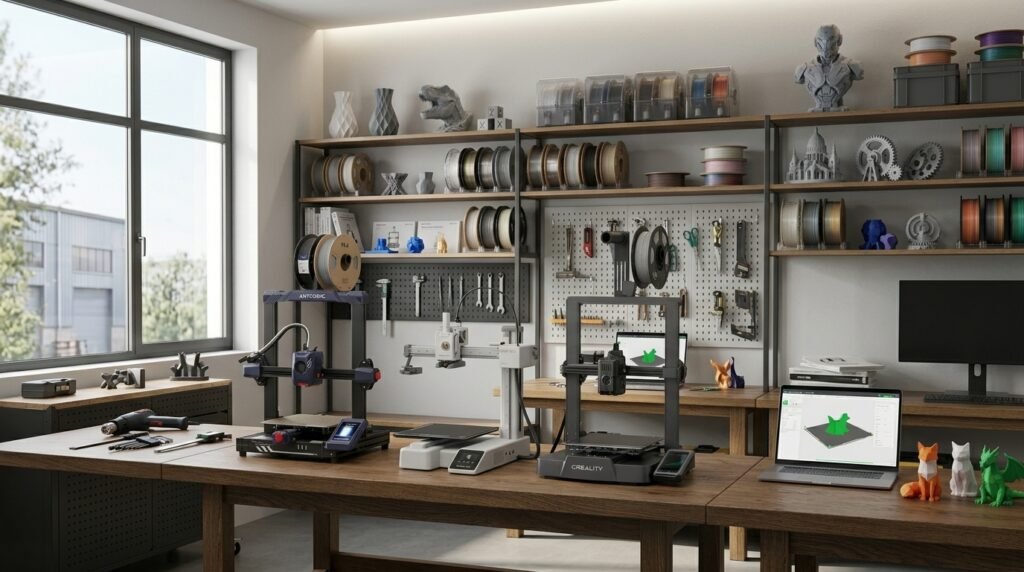
How does the A1 Mini hold up against its closest price competitors?
| Printer Model | Build Volume | Max Speed | Multi-Color | Auto-Calibration | Best For |
| Bambu Lab A1 Mini | 180x180x180 mm | 500 mm/s | Yes (AMS Lite) | Full Auto (Load Sensor) | Reliability, UX & Multi-Color |
| Creality Ender-3 V3 KE | 220x220x250 mm | 500 mm/s | No (Standard) | Semi-Auto | Larger Budget Build Area |
| Anycubic Kobra 2 Pro | 220x220x250 mm | 500 mm/s | No | Auto (Inductive) | Fast Single-Color Printing |
9. Frequently Asked Questions (FAQ)
Is the Bambu Lab A1 Mini good for beginners?
Yes. Thanks to fully automated bed leveling, flow rate calibration, pre-tuned slicer profiles, and a quick-swap hotend, it requires virtually zero manual tuning out of the box, making it one of the most beginner-friendly 3D printers ever produced.
Can the A1 Mini print flexible TPU filament?
Yes, the direct-drive extruder handles flexible TPU (95A) easily. However, TPU must be loaded directly through the top PTFE tube and cannot be fed through the AMS Lite unit due to its soft elasticity.
Do I need to buy the AMS Lite right away?
No. You can purchase the standalone A1 Mini first and upgrade to the AMS Lite later. However, buying the A1 Mini Combo bundle upfront is generally more cost-effective than purchasing the AMS Lite separately down the road.
Final Verdict: Should You Buy the Bambu Lab A1 Mini in 2026?
The Bambu Lab A1 Mini remains one of the most remarkable desktop 3D printers available today. By combining high-speed execution, whisper-quiet motor operation, flawless automated calibration, and an intuitive multi-color ecosystem, it delivers a user experience that rivals machines double or triple its cost.
If you require a massive build plate for oversized props or need to print high-temperature industrial materials like ABS, you may want to consider larger enclosed options like the Bambu Lab P1S or Creality Ender-3 V3 series.
However, for makers, educators, hobbyists, and tabletop gamers seeking a reliable, hassle-free 3D printer that “just works” every single time, the Bambu Lab A1 Mini is an absolute masterpiece and the gold standard for budget 3D printing.